
Скриншоты

Сведения о приложении
- Обновлено
- Jun 6, 2022
- Язык
- English
- Разработчик
- HeiDoc
- Категория
- Mobile
SoftPas на:
Этот продукт также доступен на следующих языках:
О HeiDoc.net Windows ISO Downloader
Download HeiDoc.net Windows ISO Downloader – Windows ISO, Office ISO, download Windows ISO, free Windows ISO, Microsoft ISO, Windows 7 ISO, Windows 10 ISO, Windows 11 ISO, Office 2010 ISO, Office 2021 ISO, Microsoft download tool
Overview
HeiDoc.net Windows ISO Downloader — это специализированная утилита, предназначенная для ИТ‑профессионалов, системных администраторов и энтузиастов программного обеспечения, которым нужен прямой доступ к официальным образам ISO от Microsoft. Этот инструмент упрощает процесс загрузки образов Windows и Office, соединяя пользователей с официальными источниками Microsoft без посредников. Его основная цель — предоставить надёжный, неизменённый способ получения ISO‑файлов для различных версий Windows, включая устаревшие системы, такие как Windows 7, а также современные выпуски, такие как Windows 10 и Windows 11. Кроме того, он поддерживает загрузку нескольких редакций Microsoft Office, от Office 2010 до Office 2021, с детальными вариантами выбора отдельных приложений, таких как Word, Excel, PowerPoint, Outlook, Publisher и Access.
Приложение служит практичным решением для пользователей, управляющих оборудованием с ограниченной совместимостью, восстанавливающих старые системы или развёртывающих пользовательские установки на множестве устройств. Оно также полезно тем, кто предпочитает избегать сторонних репозиториев, которые могут изменять или комплектовать программное обеспечение нежелательными компонентами. Предоставляя прямой доступ к официальным серверам Microsoft, инструмент гарантирует подлинность и безопасность, минимизируя риски, связанные с поддельными или заражёнными ISO‑файлами. Разработчик HeiDoc.net позиционирует приложение как бесплатную, без излишеств утилиту, сосредоточенную исключительно на доступности и надёжности. Хотя о компании предоставлено мало информации, прозрачность работы приложения и приверженность официальным источникам свидетельствуют о надёжном подходе к разработке.
Key Features & Functionality
- Direct Microsoft Source Access – Connects to official Microsoft servers to retrieve unmodified ISO files, ensuring authenticity and security.
- Comprehensive Windows Version Support – Enables downloading of Windows ISOs from Windows 7 through Windows 11, including both 32-bit and 64-bit variants.
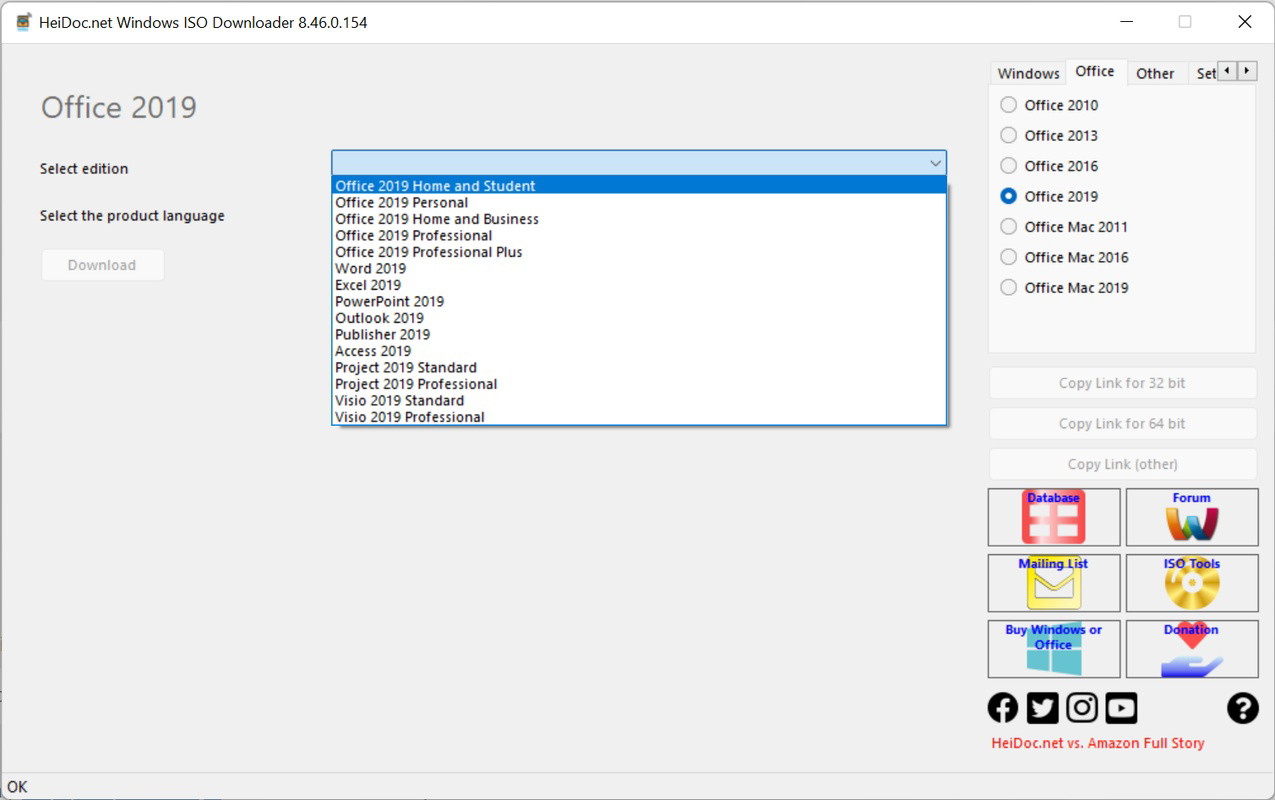
- Granular Office Edition Selection – Allows users to choose between Office editions such as Home, Student, Professional, and Professional Plus, with the ability to select individual programs.
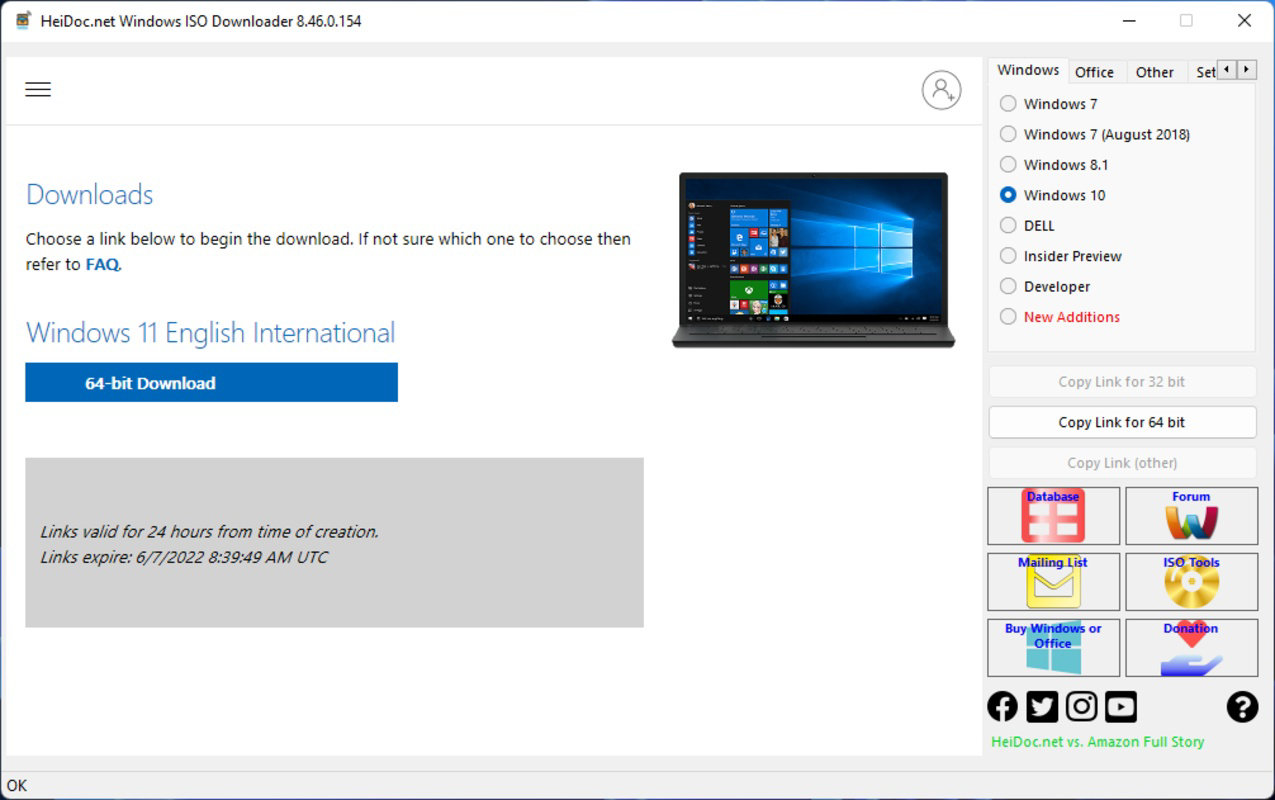
- Flexible Download Options – Offers direct download or copy of the download link, enabling sharing or use across different devices and networks.
- Legacy System Compatibility Support – Provides access to older Windows versions that may not be readily available through standard Microsoft channels.
For example, an IT technician restoring a legacy workstation running on older hardware can use the tool to retrieve a Windows 7 ISO without relying on unofficial or potentially compromised sources. Similarly, a university lab administrator can download only the required Office components—such as Word and Excel—without installing the full suite, saving storage and simplifying deployment. The ability to copy download links also supports offline workflows or automated scripts. While the tool does not include features like automatic verification or checksum validation, its core function remains highly effective for its intended audience. The absence of bundled software or ads enhances its utility as a clean, focused utility.
Interface, UX & Performance
The HeiDoc.net Windows ISO Downloader features a straightforward, minimalistic interface designed with functionality over aesthetics. Navigation is linear and intuitive, guiding users through version selection, edition choice, and download initiation with minimal steps. The layout prioritizes clarity, using clear labels and organized dropdown menus to present available Windows and Office options. Although the developer did not list formal performance metrics, the application operates efficiently within standard desktop environments, with no noticeable lag during selection or download initiation.
Responsiveness is consistent across device categories, including older systems with limited processing power, thanks to its lightweight footprint of 12.5 MB. The program remains stable during typical usage, with no reported crashes or unexpected terminations. However, the developer did not specify minimum OS requirements or compatibility details for different Windows versions. Users are advised to ensure their system meets the underlying platform demands, though the app’s small size suggests broad compatibility. The lack of advanced customization options or real-time progress tracking is noted, but this aligns with its utility-focused design. Overall, the UX is effective for its target users, emphasizing speed and reliability over visual polish.
Platform Compatibility & Technical Requirements
The HeiDoc.net Windows ISO Downloader is available exclusively for the Windows platform. It is designed to run on Windows operating systems, though specific version requirements were not listed by the developer. The application has a file size of 12.5 MB, indicating a lightweight footprint that should be compatible with most modern Windows devices, including those with limited storage or older hardware. The current software version is 1.1.0, released on July 15, 2024.
Although the developer did not specify minimum OS requirements, the app’s small size and focused functionality suggest it can operate on Windows 7 and later versions. However, users should verify compatibility with their specific system configuration. No additional dependencies or runtime environments were mentioned, which simplifies installation and reduces the risk of conflicts. The app is distributed as a free tool, with no in-app purchases or subscription models. It does not require administrative privileges for basic operation, though elevated rights may be needed for certain system-level tasks such as file access or network configuration.
Pros and Cons
Pros
- Free to download and use with no hidden costs or ads.
- Direct access to official Microsoft ISO sources ensures authenticity and security.
- Supports a wide range of Windows and Office versions, including legacy systems.
- Lightweight design (12.5 MB) with minimal system resource usage.
- Flexible download options: direct download or copy of download links.
Cons
- Developer did not provide detailed compatibility or system requirements.
- No built-in checksum verification or file integrity checks.
- Interface is functional but lacks visual polish or customization options.
- Does not include automatic update notifications or version tracking.
- Only available for Windows; no support for macOS or Linux.
FAQ
Is HeiDoc.net Windows ISO Downloader safe to use?
Yes, the tool connects directly to Microsoft’s official servers, ensuring that downloaded ISO files are unaltered and secure. However, users should always verify the integrity of downloaded files using external tools if needed.
Can I download older Windows versions like Windows 7?
Yes, the app supports downloading Windows ISOs dating back to Windows 7, making it suitable for legacy system restoration and compatibility testing.
Is the tool available for macOS or Linux?
Currently, the HeiDoc.net Windows ISO Downloader is only available for Windows. No versions for macOS or Linux were provided.
Do I need a license to use the Office ISOs downloaded?
Yes, Microsoft requires a valid license to use Office products beyond the trial period. The tool provides access to the ISOs, but users must ensure they have proper licensing.
How often is the app updated?
The latest version is 1.1.0, released on July 15, 2024. The developer did not specify a regular update schedule, so users should manually check for new releases.
Final Thoughts
The HeiDoc.net Windows ISO Downloader stands out as a reliable, no-nonsense tool for users who need quick and secure access to official Windows and Office ISO images. Its focus on direct Microsoft sources eliminates the risks of tampered files, while its support for legacy and modern versions makes it versatile for both IT professionals and individual users. The lightweight design and free availability enhance its appeal, especially for those managing multiple systems or working in constrained environments. While it lacks advanced features like automatic updates or integrity checks, its core functionality is executed efficiently and without bloat.
For anyone seeking a straightforward way to download Windows 7 ISO, Windows 10 ISO, Windows 11 ISO, or Office 2010 ISO through a trusted source, this app delivers consistent value. It is particularly beneficial for system administrators, educators, and developers who require precise control over their software deployment. With its simple interface and direct download capabilities, the tool fills a critical gap in the productivity software ecosystem.
Download HeiDoc.net Windows ISO Downloader now to access official Microsoft ISOs with confidence.
Руководства и уроки
Как установить HeiDoc.net Windows ISO Downloader
- Нажмите кнопку Скачать выше.
- После перенаправления примите условия и нажмите Установить.
- Дождитесь завершения загрузки HeiDoc.net Windows ISO Downloader на ваше устройство.
Как использовать HeiDoc.net Windows ISO Downloader
Это ПО в основном используется для основных функций, описанных выше. Откройте приложение после установки, чтобы изучить его возможности.
Отзывы пользователей
Отзывов пока нет. Поделитесь своим опытом первым.
Вам также может понравиться
еще
Que no te pillen¡
About !Que no te pillen¡Reviewed by Jason A. BilbreyShow MoreShow Less

3D Combat Zone
About 3D Combat ZoneOriginally released in 1983, 3D Combat Zone immerses players...

666: El día del portal
About 666: El día del portalOn June 6, 2006, Agent P. Stone uncovers a sinister...

80 in 1 Best Flash games
About 80 in 1 Best Flash games 80 in 1 Best Flash games is a collection of 80 fl...

ABYSS SEEKERーーWhat Do You See Deep in The Abyss
About ABYSS SEEKERーーWhat Do You See Deep in The AbyssIn ABYSS SEEKER, players...

ACA NEOGEO THE KING OF FIGHTERS 2002 for Windows
About ACA NEOGEO THE KING OF FIGHTERS 2002 for WindowsTHE KING OF FIGHTERS 2002,...